Hide prices
Show "Price on request" or your own text instead, and hide Add to Cart.
 underpixelstudio.my
Hide prices and take quotes on WhatsApp.
Turn your PDF catalogue into WhatsApp orders.
Quotes & invoices, LHDN e-Invoice ready.

Call for price and request a quote for WooCommerce. Hide prices and let shoppers ask for a quote on WhatsApp, with the product name and link already written in the message.
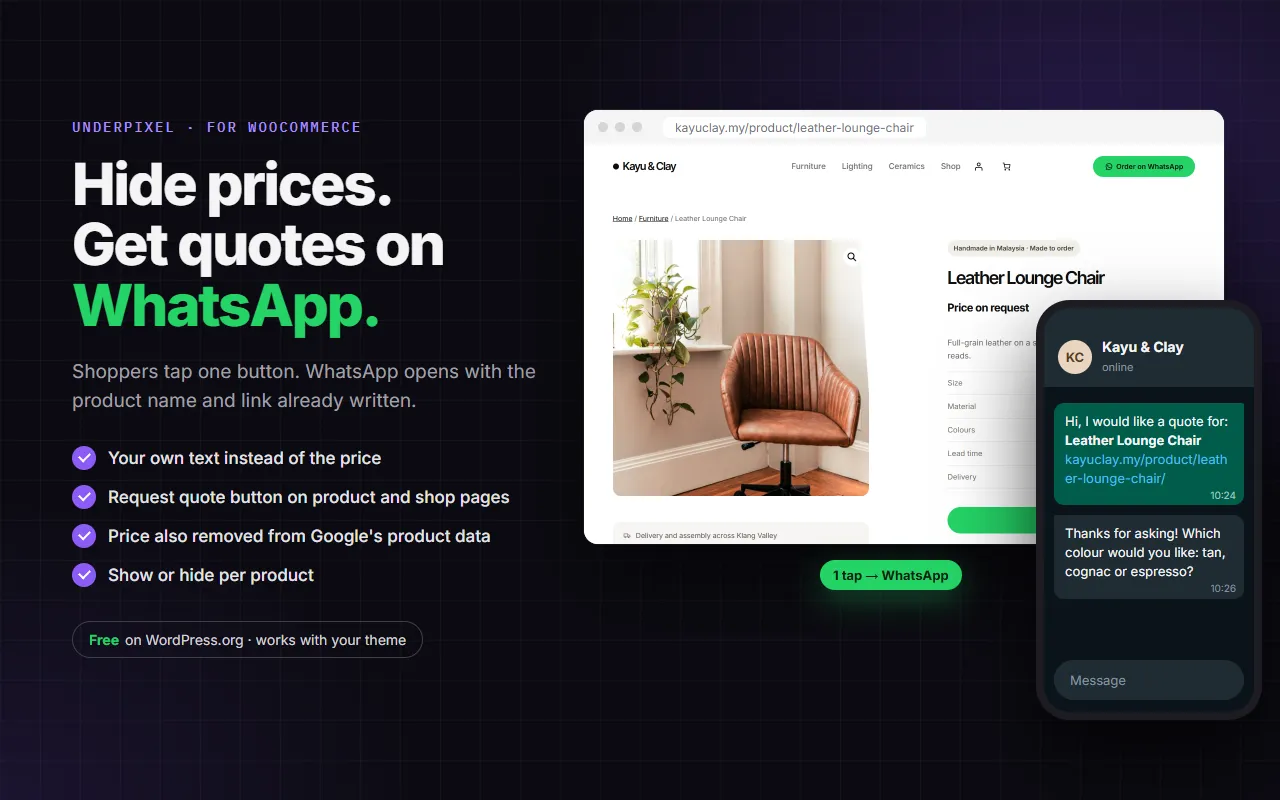
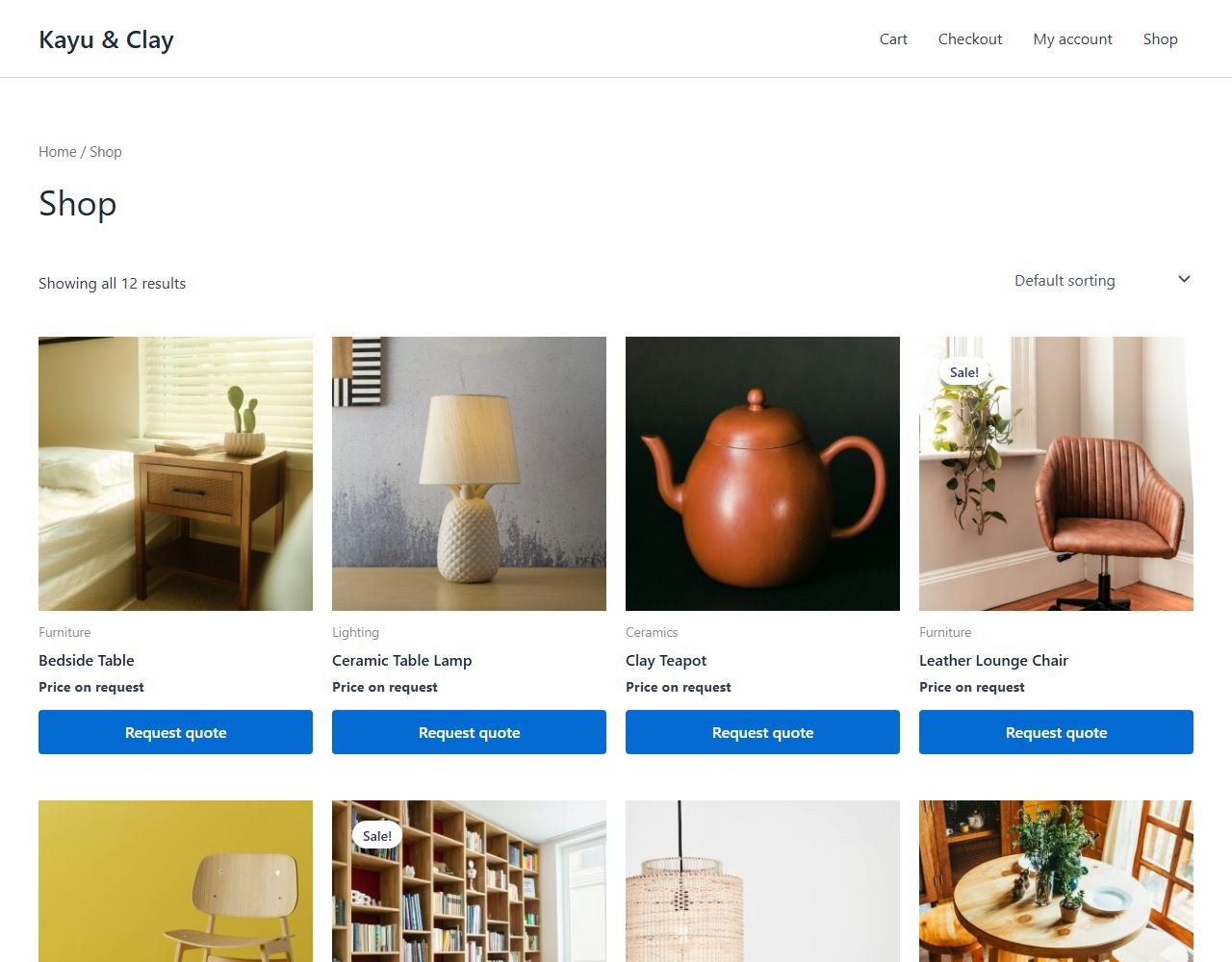
Show "Price on request" or your own text instead, and hide Add to Cart.
The button opens WhatsApp with your greeting, the product name and link already written.
When a price is hidden, it is also removed from the product's Google data.
This is a working copy of Quote Request's settings and a sample product. Nothing is sent anywhere.
Open the WhatsApp tab.
012-345 6789 becomes 60123456789. Spaces, dashes and the + sign are removed when you save.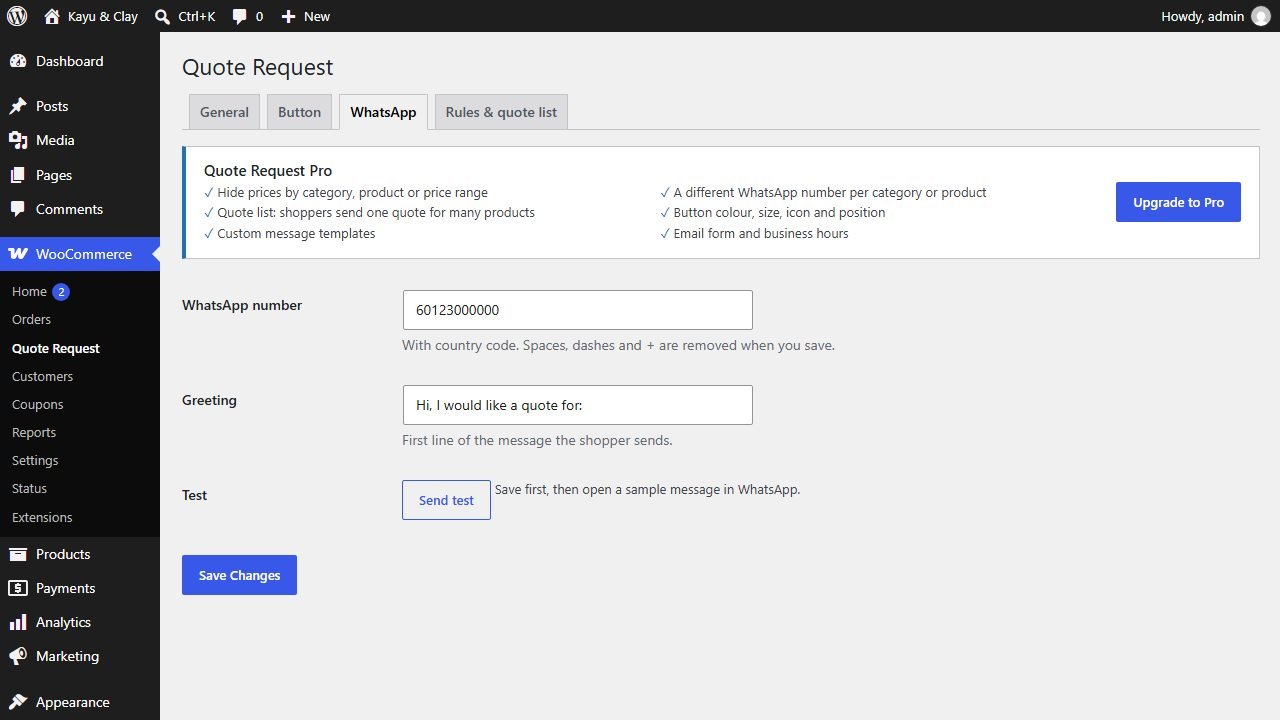
Open the General tab.
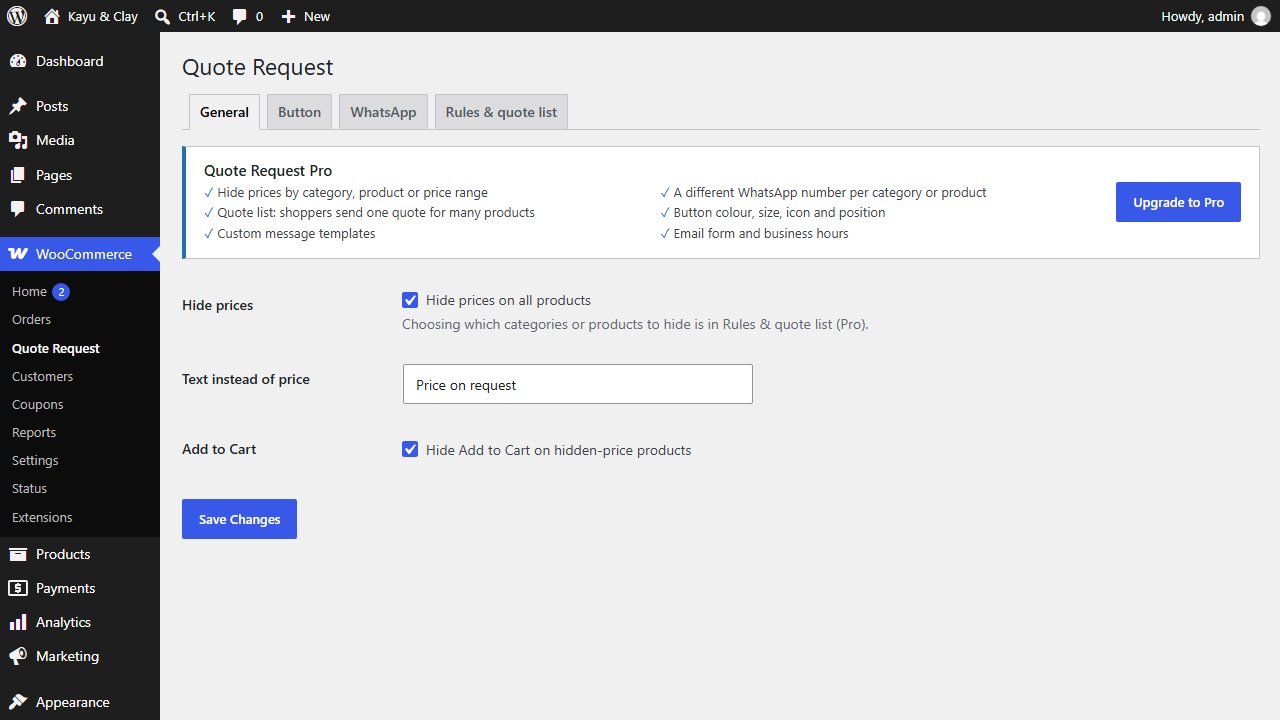
The Button tab sets the button text and where it shows: on the product page, on the shop grid, or both.
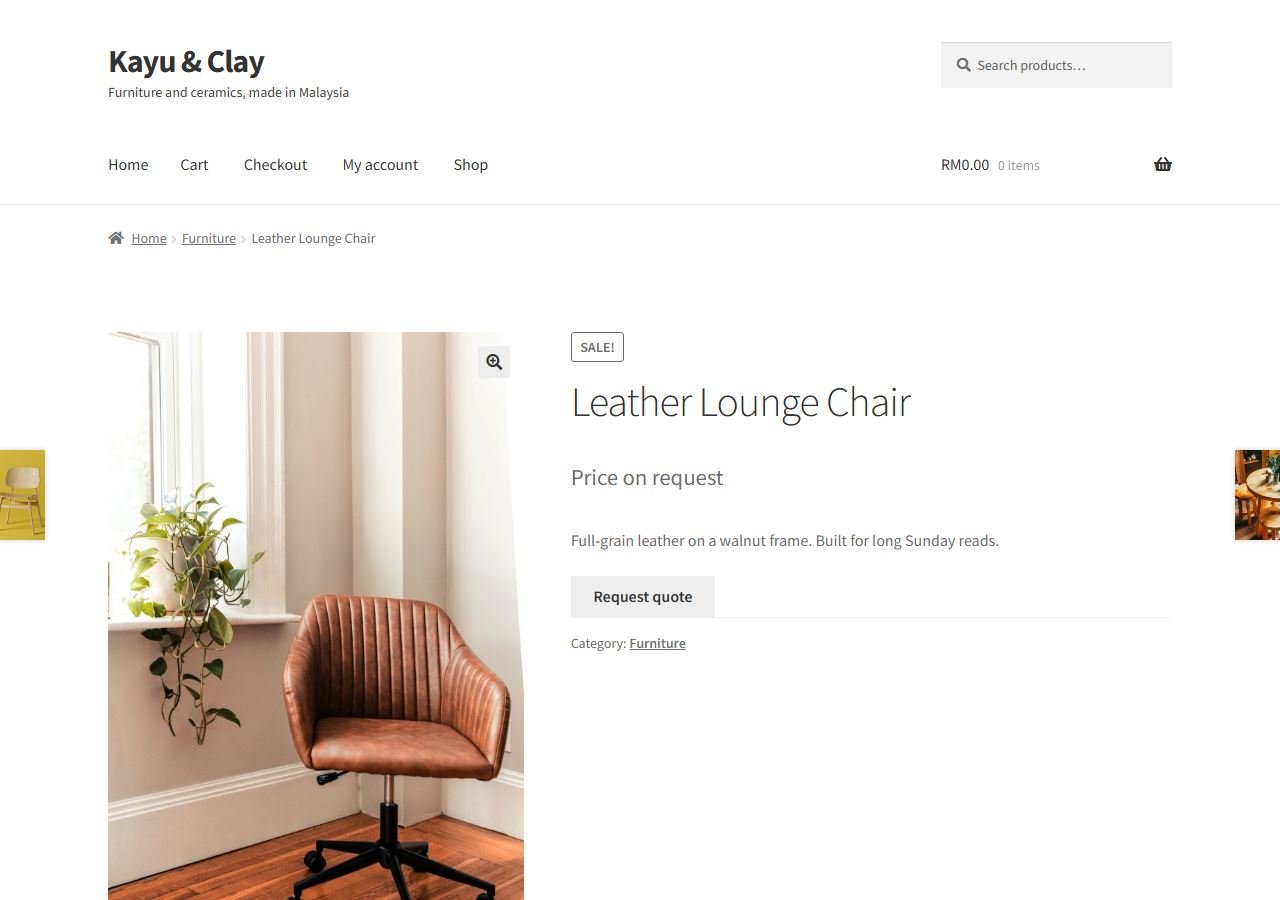
The price is replaced by your text, and a Request quote button appears. When pressed, WhatsApp opens with your greeting, the product name and its link already written. You reply in WhatsApp as usual.
Edit a product in Products. In the Quote Request box, choose:
Pro options are shown greyed out on the Rules & quote list tab, so you can see what they do. Pro adds:
{product}, {sku}, {qty}.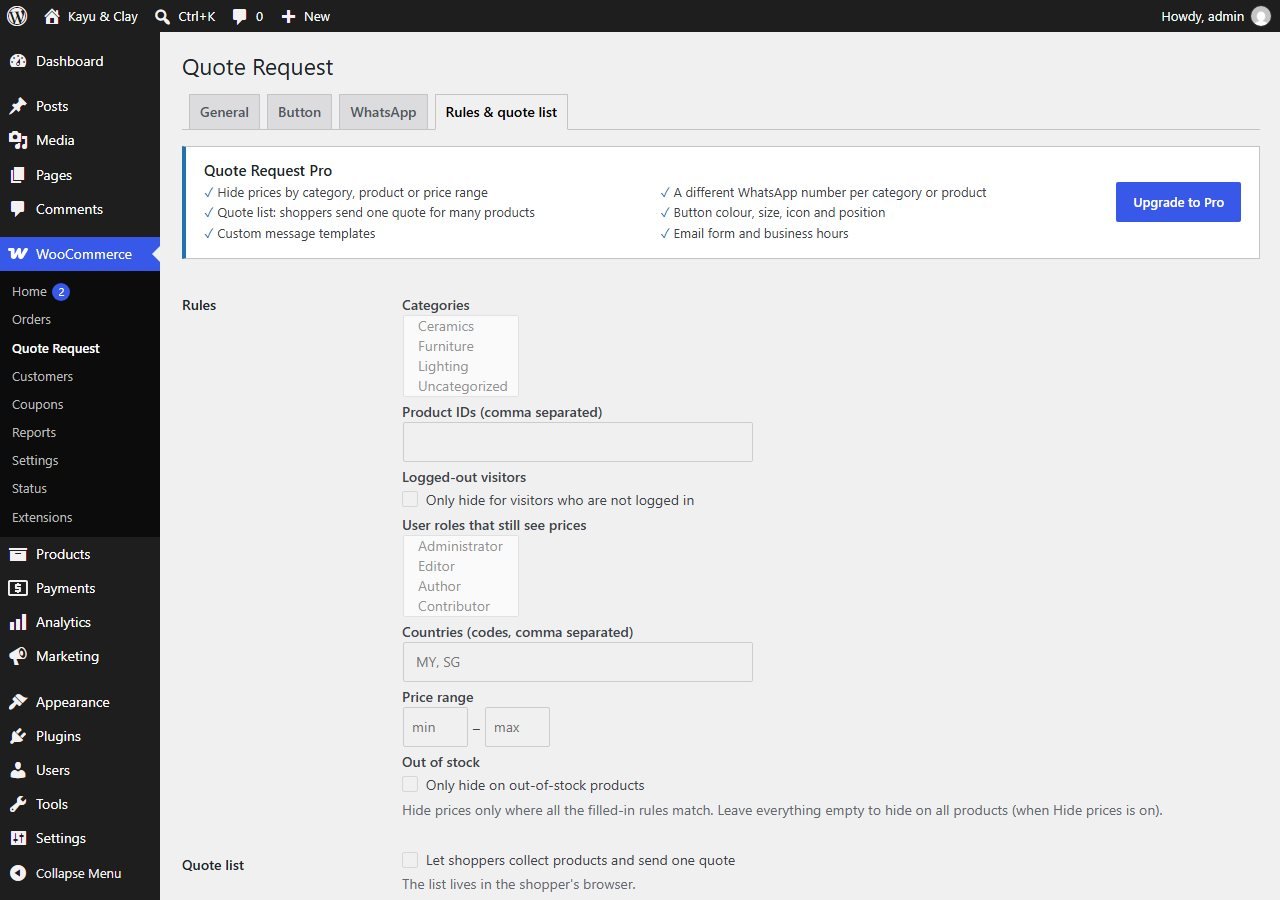
Pro from about RM22/month or RM169/yearGet Pro
 Lead RotatorShare WhatsApp chats between your sales staff, in turn.
 Sales Popup"Just bought" popups from your real orders.
 Delivery DateCustomers pick a delivery date at checkout.
 Product OptionsProduct options and add-ons with their own price.
 Quick ViewProduct quick view from the shop page.
Quote Request, WhatsApp, product pages and speed, set up and tested for a fixed price.
Tell us about your business. You get a clear quote before any work starts.