~/plugins/sales-popup

Underpixel Sales Popup

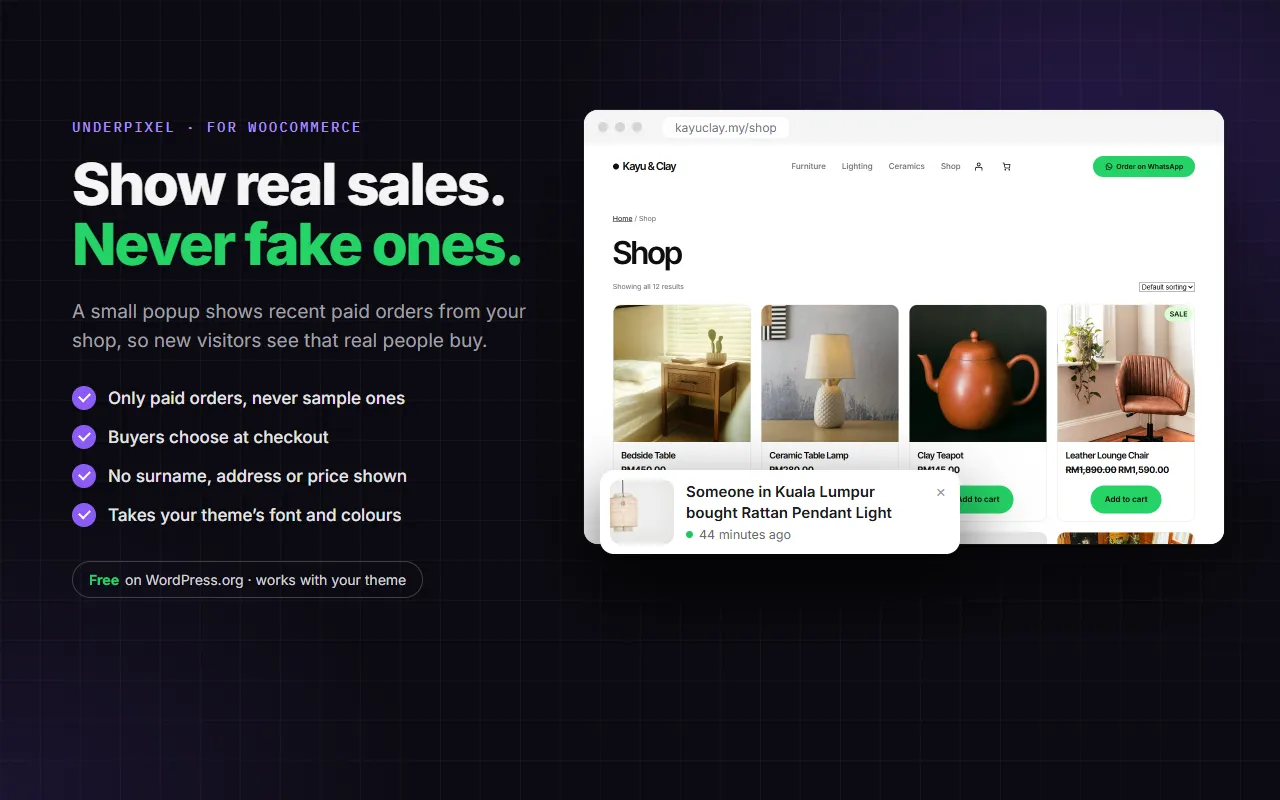
Real sales notification popups for WooCommerce. Show a small "Someone in Shah Alam bought Office Chair, 2 hours ago" popup from your real, paid orders. No fake sales, ever, and you decide how much of the buyer is shown.

Free on WordPress.orgRequires WooCommerceWordPress 6.6+ · PHP 8.0+Free + Pro
wordpress.org/plugins/underpixel-sales-popup
Show real sales, never fake ones
01 / 05Overview
WHAT IT DOES

Honest social proof from your own orders

Only real, paid orders

Only Processing or Completed orders are shown. There is no setting to invent orders, and no sample when there are no sales.

You choose what is shown

"Someone" by default, or half a name or first name. City, state or no location. Surname, address, phone, email and price are never shown.

Buyers can opt out

A tick-box at checkout lets the buyer keep their purchase out of the popup, on the classic and the Block checkout.

TRY IT · LIVE PREVIEW

Change the settings, watch the popup update

This is a working copy of Sales Popup's settings on a sample shop page, with five sample orders. Nothing is sent anywhere.

Live preview · nothing is sentLIVE DEMO

Sales Popup settings

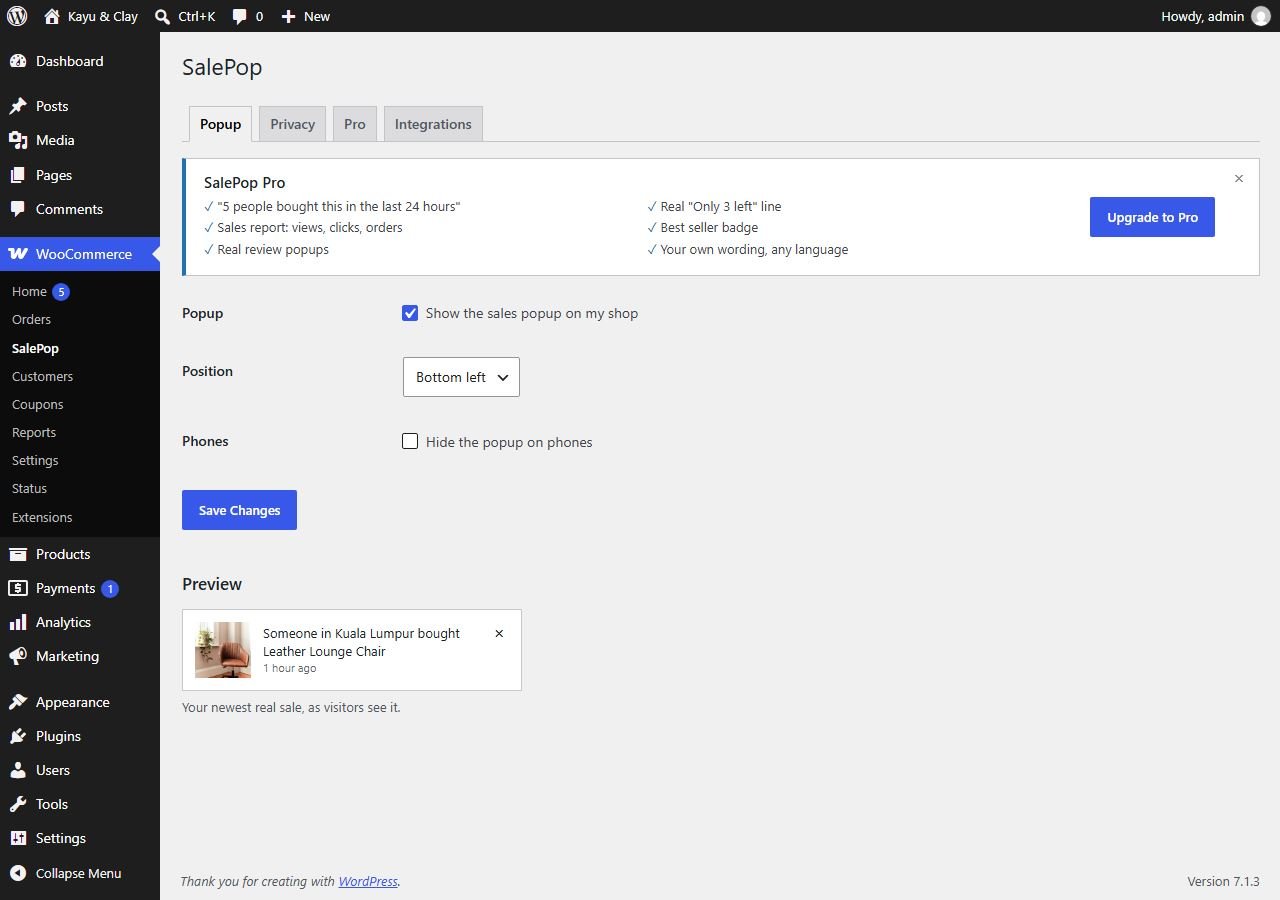
WooCommerce → Sales Popup
Position
Name shown
Location shown
yourshop.com/shop
Kayu & ClayShop

Leather Lounge Chair

RM1,590

Ceramic Table Lamp

RM260

Clay Teapot

RM120

Demo only, with sample orders. On a real shop Sales Popup shows only real paid orders (Processing or Completed), never an order whose buyer unticked the checkout box, and nothing at all when there are no recent sales.
FREE VS PRO

Start free, upgrade for more real signals

Free

On WordPress.org
RM0
WordPress 6.6+ · PHP 8.0+
  • Popup from real paid orders: photo, product, location, time ago
  • Orders from the last 7 days
  • Bottom-left or bottom-right, option to hide on phones
  • Name: hidden, half name or first name · Location: city, state or none
  • Checkout opt-out tick-box (classic and Block checkout)
  • Works with page caching, uses your theme's fonts and colours
Download free
PRO

Pro

Everything in Free, plus
RM22/month
or RM169/year · 1 site
  • Your own time window, 1 to 90 days
  • "5 people bought this in the last 24 hours" on product pages
  • Choose pages; leave out products, categories or orders
  • Colours, size and animation; your own wording in any language
  • Sales report: popup views, clicks and orders after a click
  • Real review popups, "Only 3 left" line, "Best seller this week" badge
Get Pro
Pro is for 1 site. Prices are approximate in RM; you pay in US$.
SETUP GUIDE

How to set it up.

STEP 1

Install Sales Popup

  1. Make sure WooCommerce is installed and active.
  2. In WordPress, go to Plugins → Add New and search for Sales Popup. Or upload the zip under Plugins → Add New → Upload Plugin.
  3. Click Install Now, then Activate.
  4. Open WooCommerce → Sales Popup and answer the first question: "Do you sell to customers in Europe?" It sets whether the checkout box starts ticked or unticked.
Sales Popup shows popups as soon as it is activated, using orders you already have. If you sell to Europe, set the name to Hidden and answer the first question before you leave the settings.
STEP 3

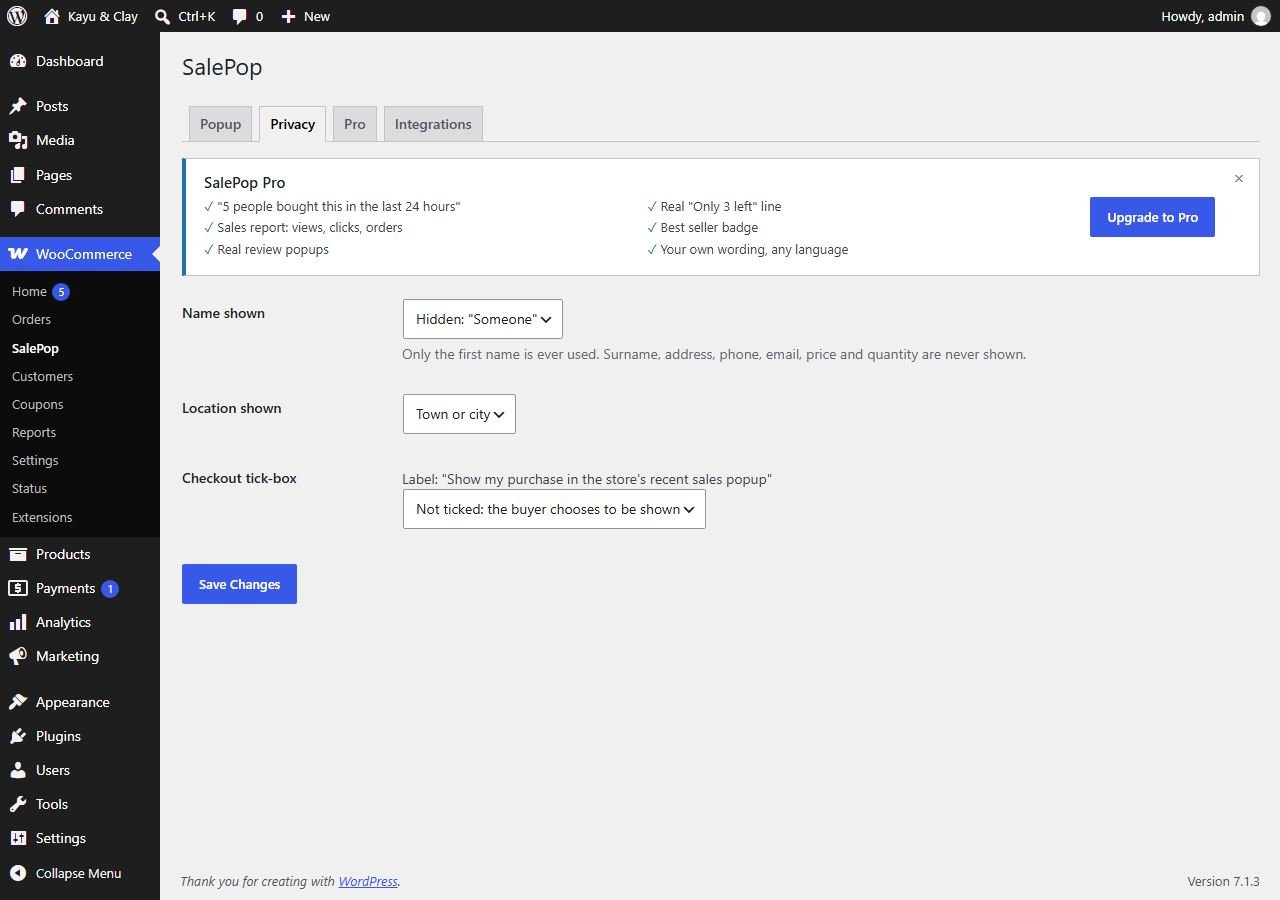
Decide how much of the buyer to show

Open the Privacy tab.

  • Name shown: Hidden: "Someone" (the default), half a name such as Ai***, or the first name.
  • Location shown: Town or city (the default), the state, or none.
  • Checkout tick-box: the buyer sees "Show my purchase in the store's recent sales popup". Choose if it starts ticked, or Not ticked: the buyer chooses to be shown (opt-in, for shops selling to Europe).
Sales Popup Privacy tab with Name shown, Location shown and Checkout tick-box settings
WooCommerce → Sales Popup → Privacy
Only the first name is ever used. Surname, address, postcode, phone, email, price and quantity are never shown.
STEP 4

What shoppers see

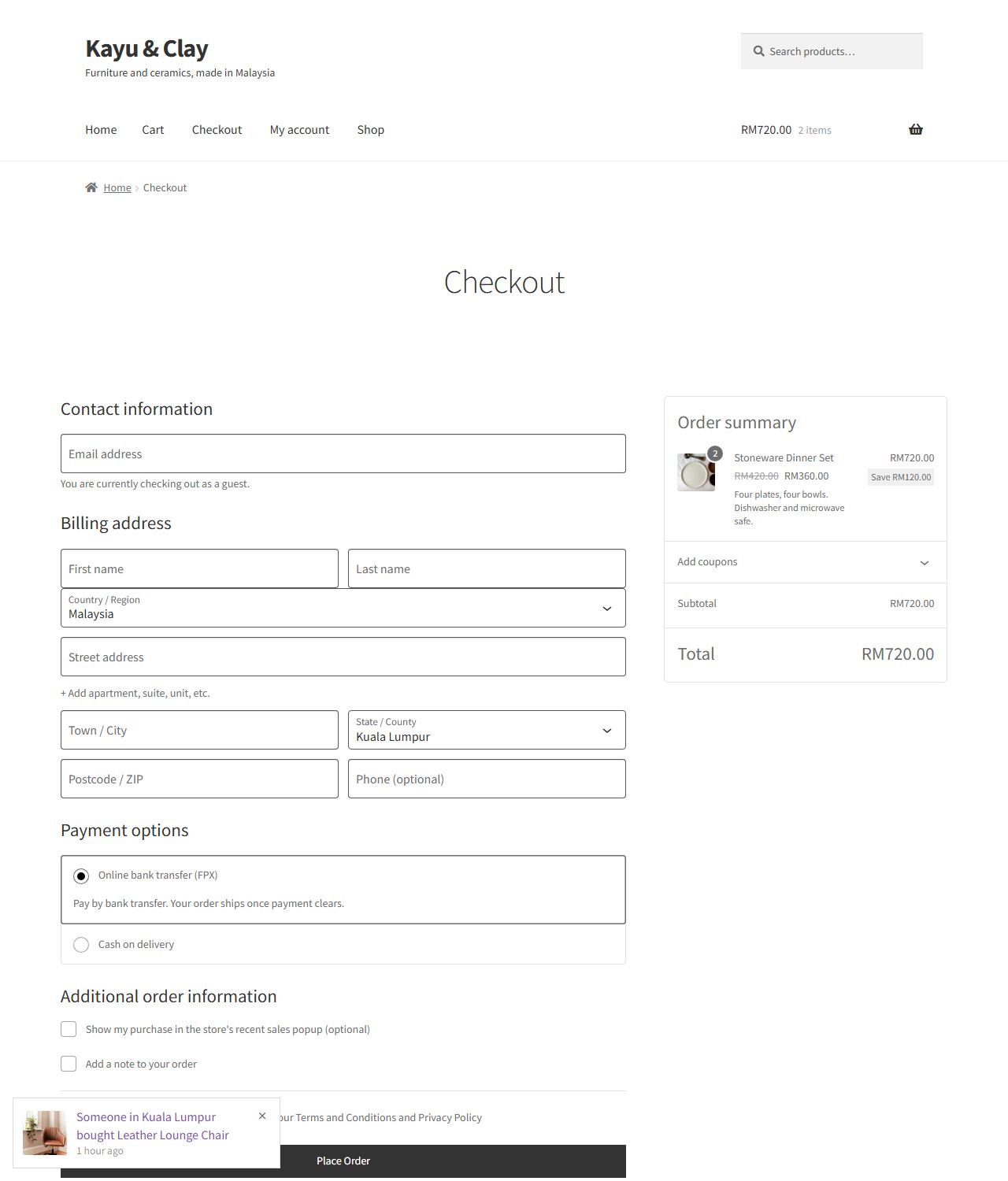
A small popup in the corner you chose, with the product photo, the product name as a link, the location and how long ago. At checkout, the buyer sees the tick-box and can keep their purchase out of the popup.
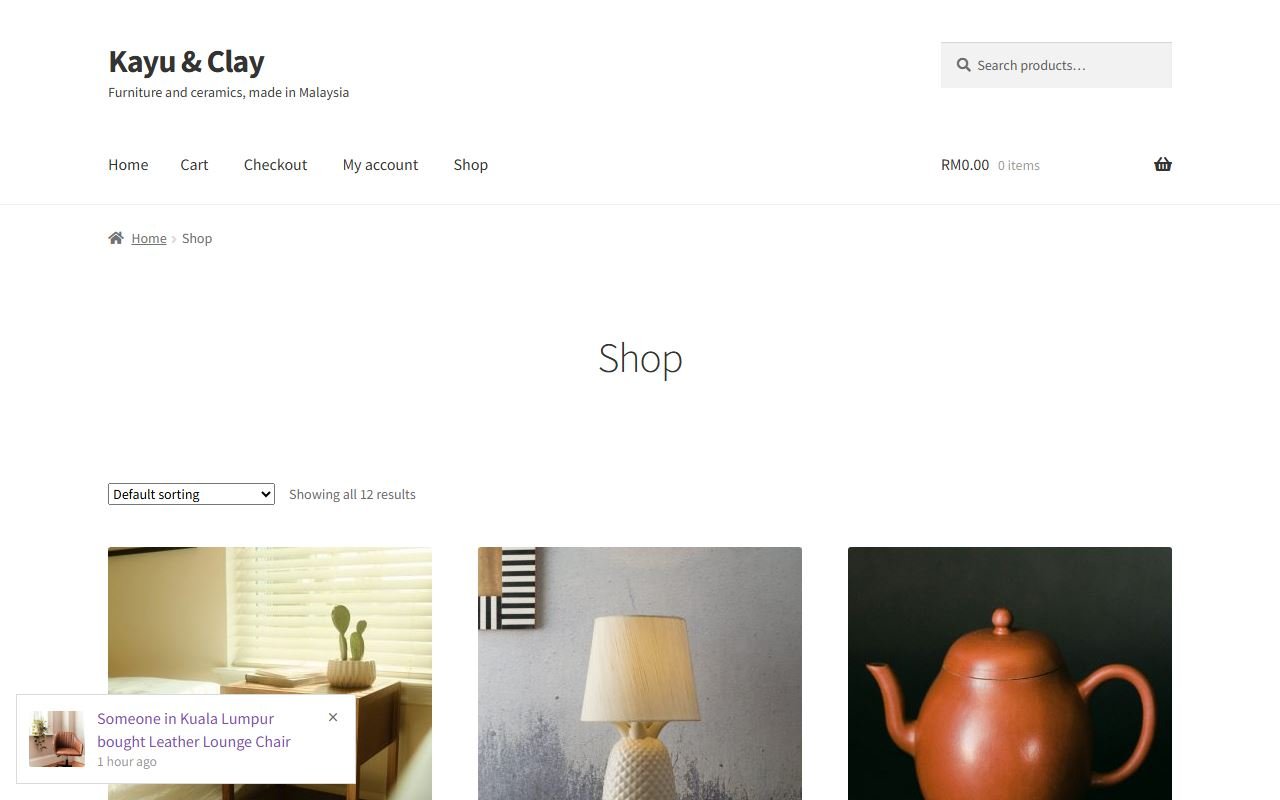
Shop page with a Sales Popup popup in the bottom-left corner
Shop page (Storefront theme)
Checkout page with the Show my purchase in the store's recent sales popup tick-box
Checkout with the opt-out tick-box
The visitor never sees their own order. Sales Popup takes the fonts and colours of your theme and works with page caching.
STEP 5

Pro features

Pro options are shown greyed out on the Pro tab, so you can see what they do. Pro adds:
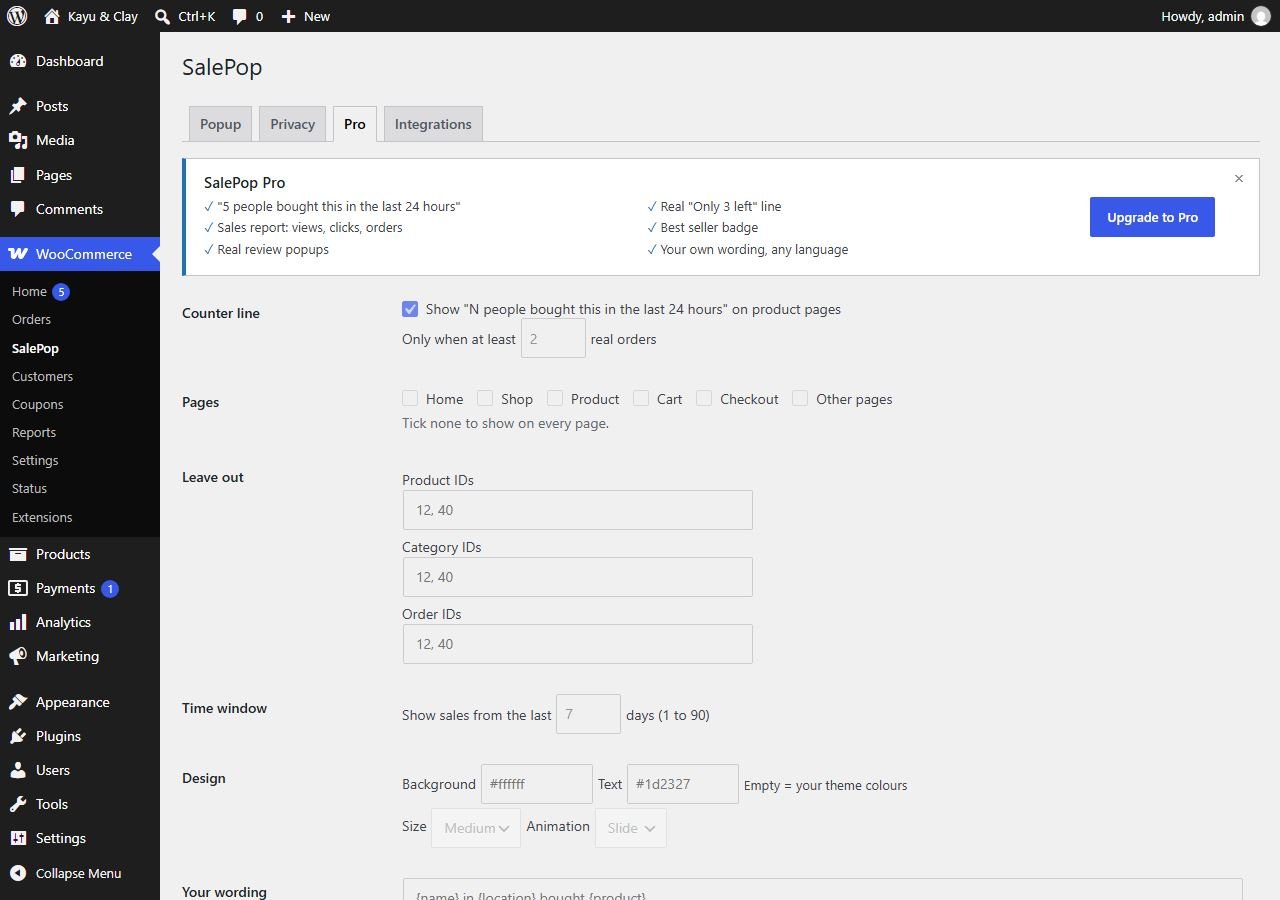
  • Counter line: "5 people bought this in the last 24 hours" on product pages, shown from 2 real orders up.
  • Pages where the popup shows, and Leave out by product, category or order ID.
  • Time window of 1 to 90 days, for slower shops.
  • Design (colours, size, animation) and Your wording in any language.
  • A sales report, real review popups from 4 and 5 star reviews, a real "Only 3 left" line and a "Best seller this week" badge.
Sales Popup Pro tab with counter line, pages, leave out, time window and design options shown disabled
WooCommerce → Sales Popup → Pro

Pro from about RM22/month or RM169/yearGet Pro

FAQ

Common questions

A popup with invented sales is a false claim to your customers, and in many countries it breaks consumer law. Sales Popup only shows paid orders from your own shop, so every popup is true.
Only orders with status Processing or Completed. Refunded, cancelled, failed, pending and on-hold orders never appear. Orders placed before you installed Sales Popup are shown too, if they are paid and inside the time window.
Nothing is shown. No empty box, no sample.
We recommend it. Add a sentence saying that the shop shows recent purchases (product, town and time) in a popup, and that buyers can opt out at checkout.
Yes. The popup list is loaded after the page in one small request, cached on the server for 10 minutes, so a cached page still shows current orders.
Email underpixel2015@gmail.com with your site address and a screenshot. We reply within one business day.
underpixel start --project yours

Let’s build yours.

Tell us about your business. You get a clear quote before any work starts.