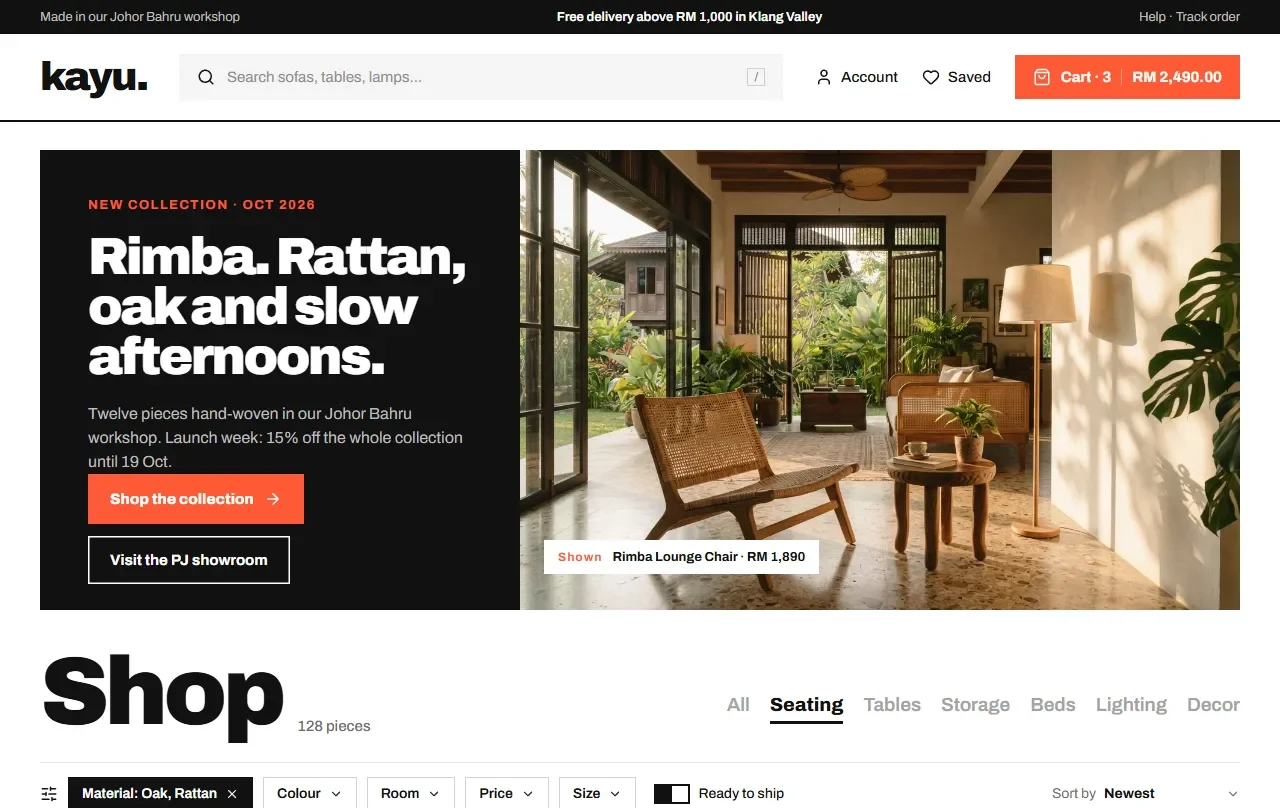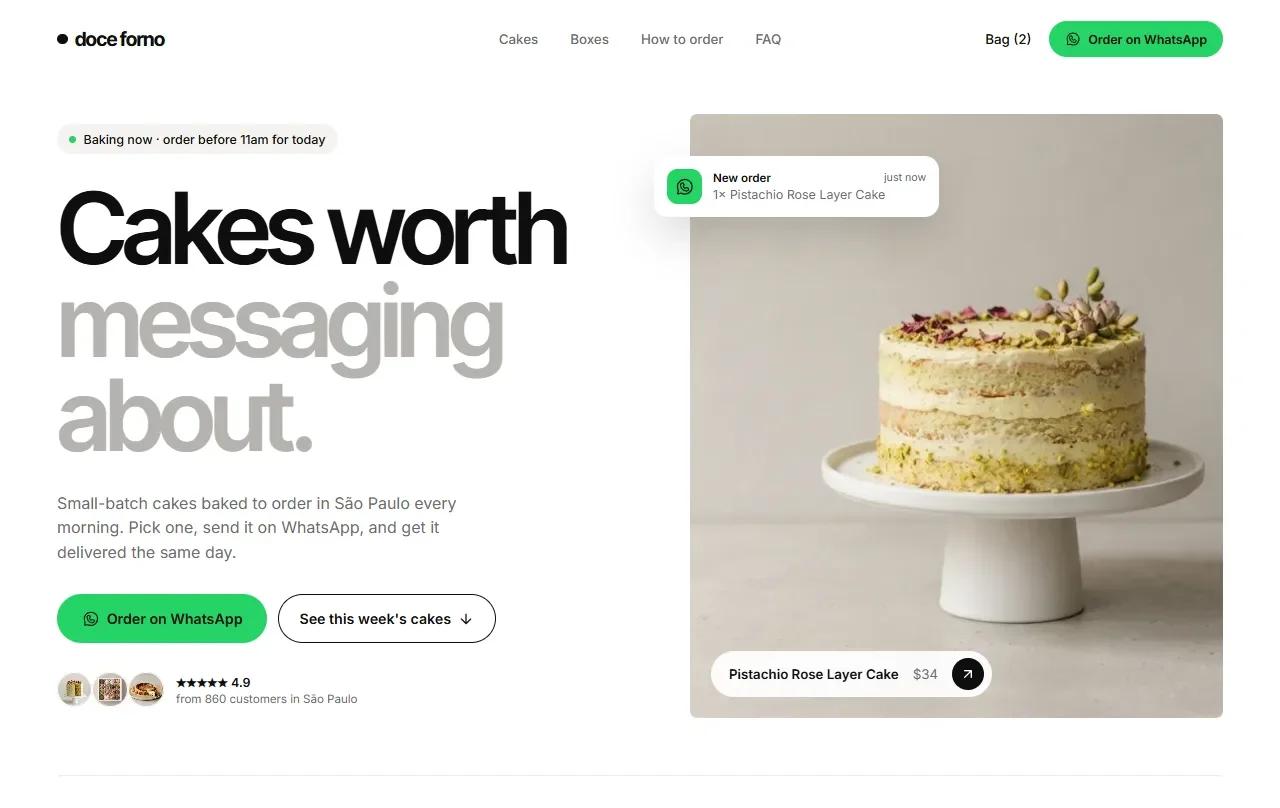
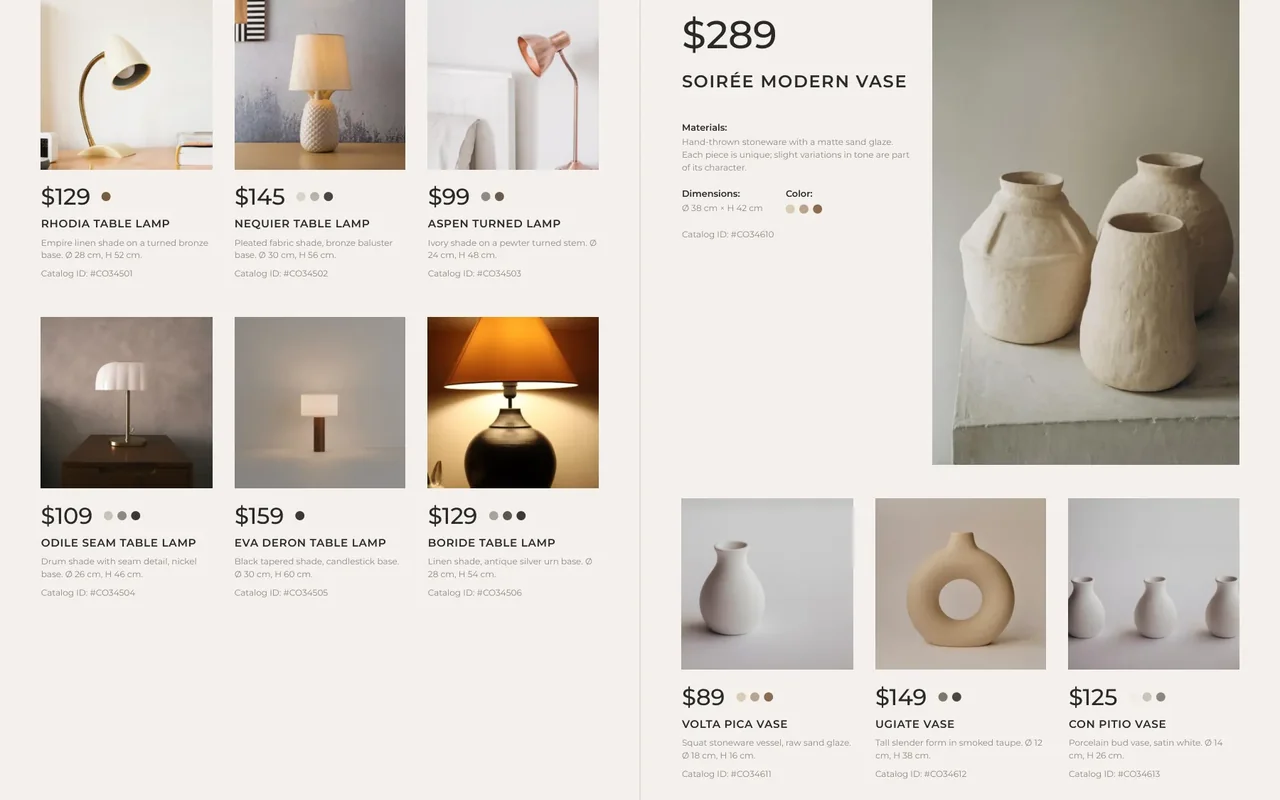
Many businesses already have a good PDF catalogue, and they send it to buyers on WhatsApp. Then the back-and-forth starts: a screenshot of page 7, “this one, how much?”, a wrong product code, another screenshot. Our new app, FlipyOrder, keeps the catalogue you already have and turns it into a link that takes orders.
Why a PDF on WhatsApp is hard to order from
- It is heavy. A catalogue full of photos is a big file. On a phone it is slow to download and hard to read.
- Buyers zoom and screenshot. Ordering three items means three screenshots and a lot of typing.
- Orders arrive messy. Product codes get typed wrong, and you spend time asking which item they meant.
- You cannot see interest. You never know which pages buyers look at or which products they want.
How to set it up, step by step
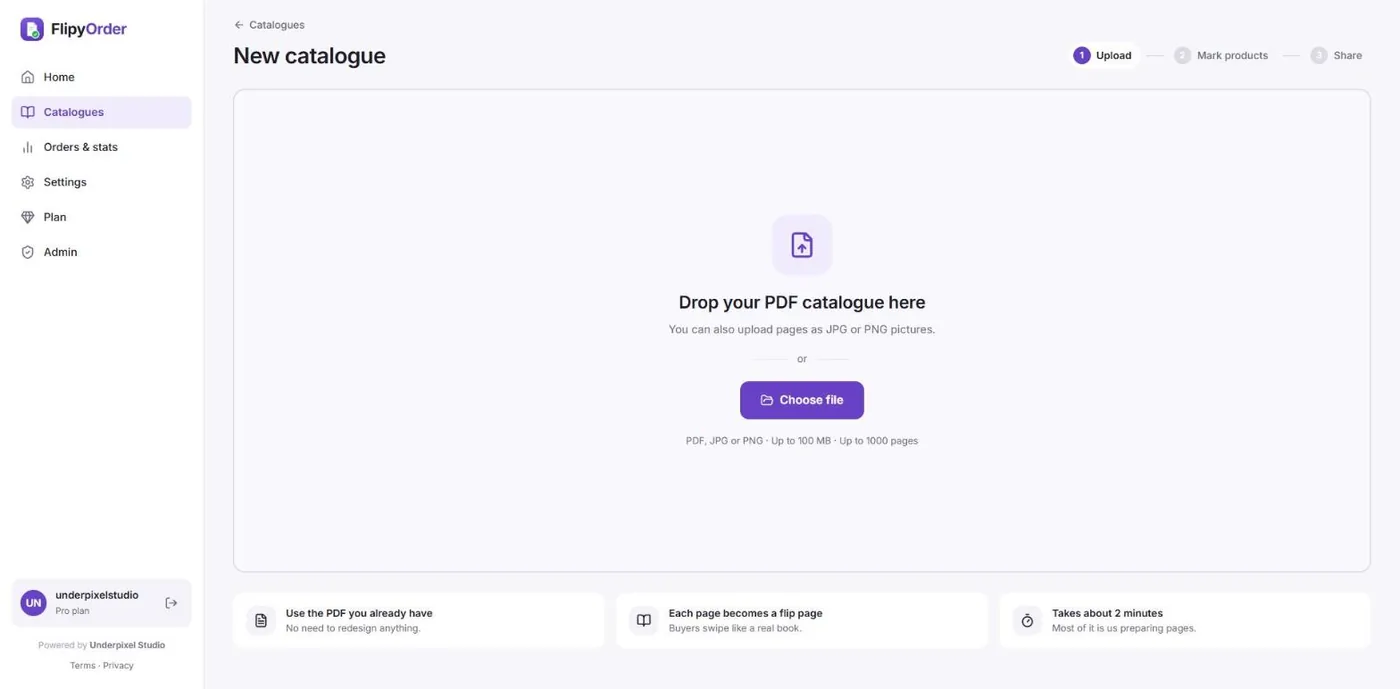
Step 1: Upload your PDF
Sign up free, then press New catalogue. Drop in the PDF you already have, or JPG and PNG pages. Each page becomes a page buyers can flip.
Step 2: Draw a highlight box over each product
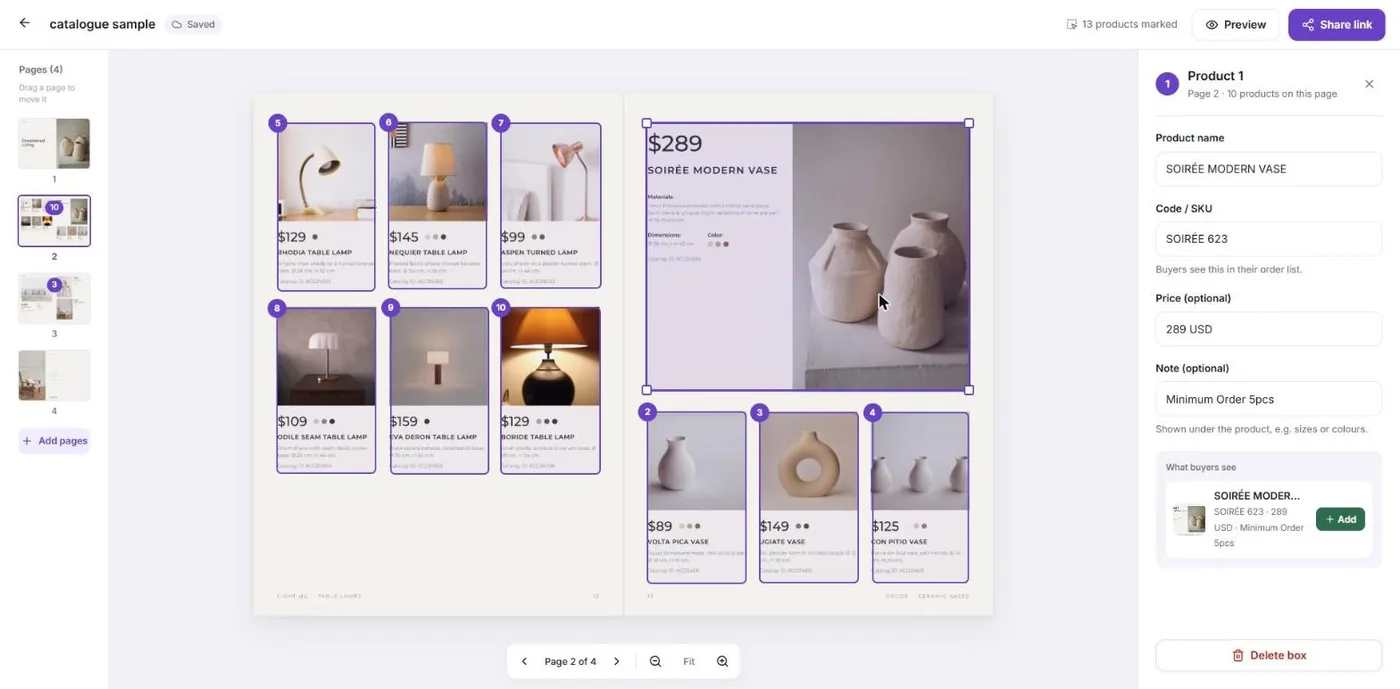
In the editor, drag over a product on the page. A box appears, and a panel opens on the right. Type the product name and code. The price and a note, such as a minimum order, are optional. The panel shows exactly what buyers will see.

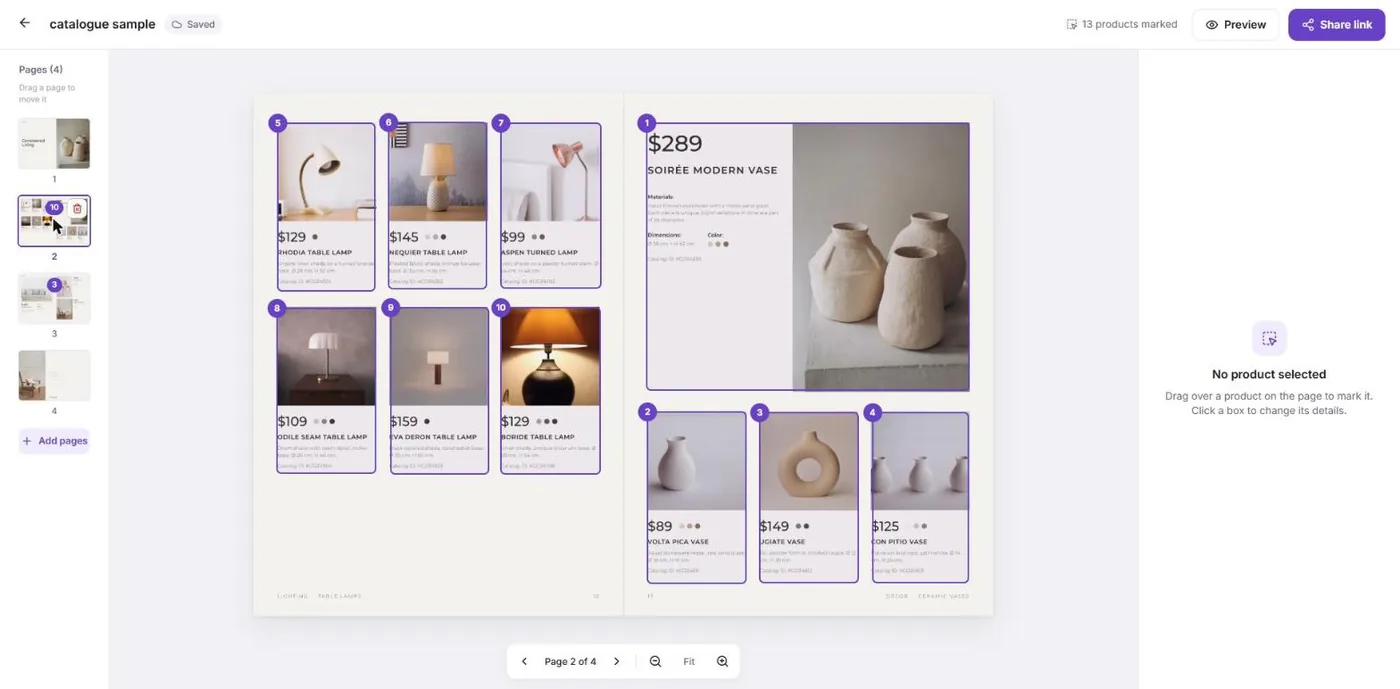
Do this for every product. Each box gets a number, and the page list on the left shows how many products each page has.
To change a product later, click its box. You can edit the details, move or resize the box, or delete it.
Step 3: Share one link
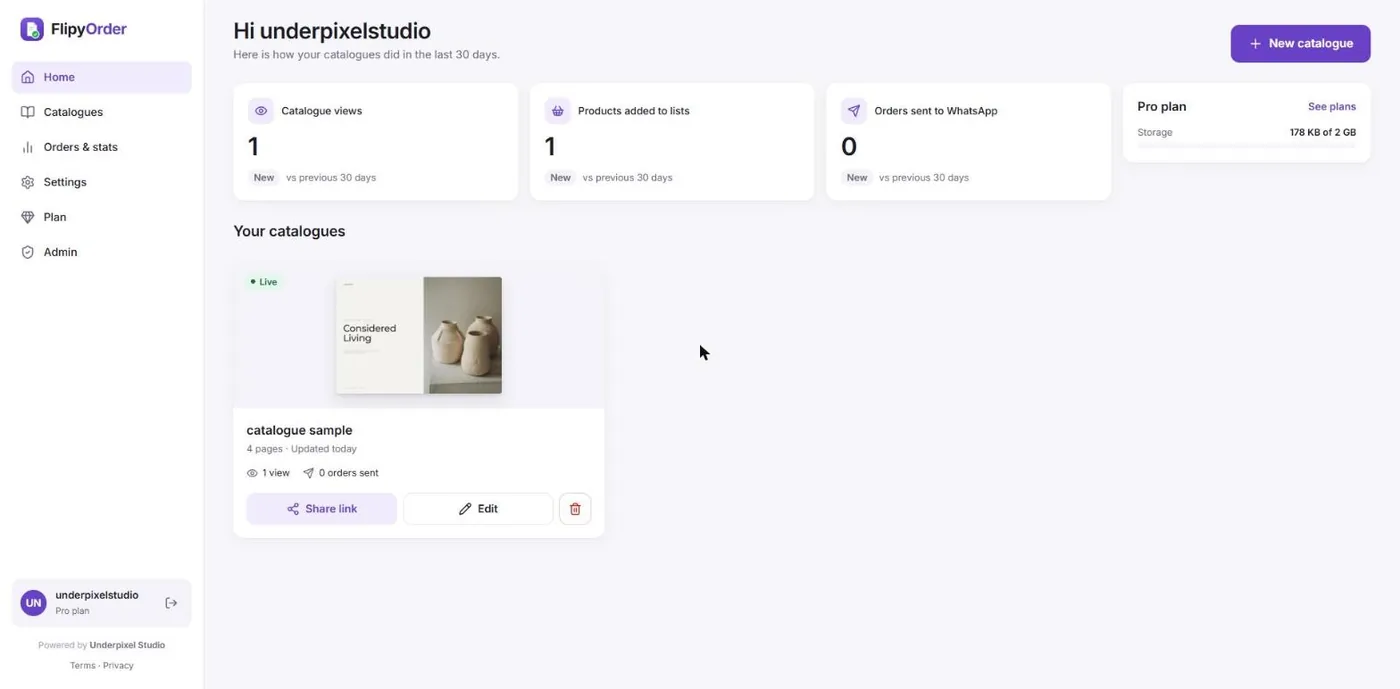
Press Share link and post it on WhatsApp, Facebook, Instagram or your website. Your dashboard then shows how many people viewed the catalogue and how many orders were sent.
What your buyers see
Buyers open your link in their phone browser. Nothing to download and no sign-up. They flip the pages and tap + on any product, choose how many, and press Add to order list.

When they are ready, they open the Order list, can add a note, and press Order via WhatsApp. WhatsApp opens with the whole order already written:
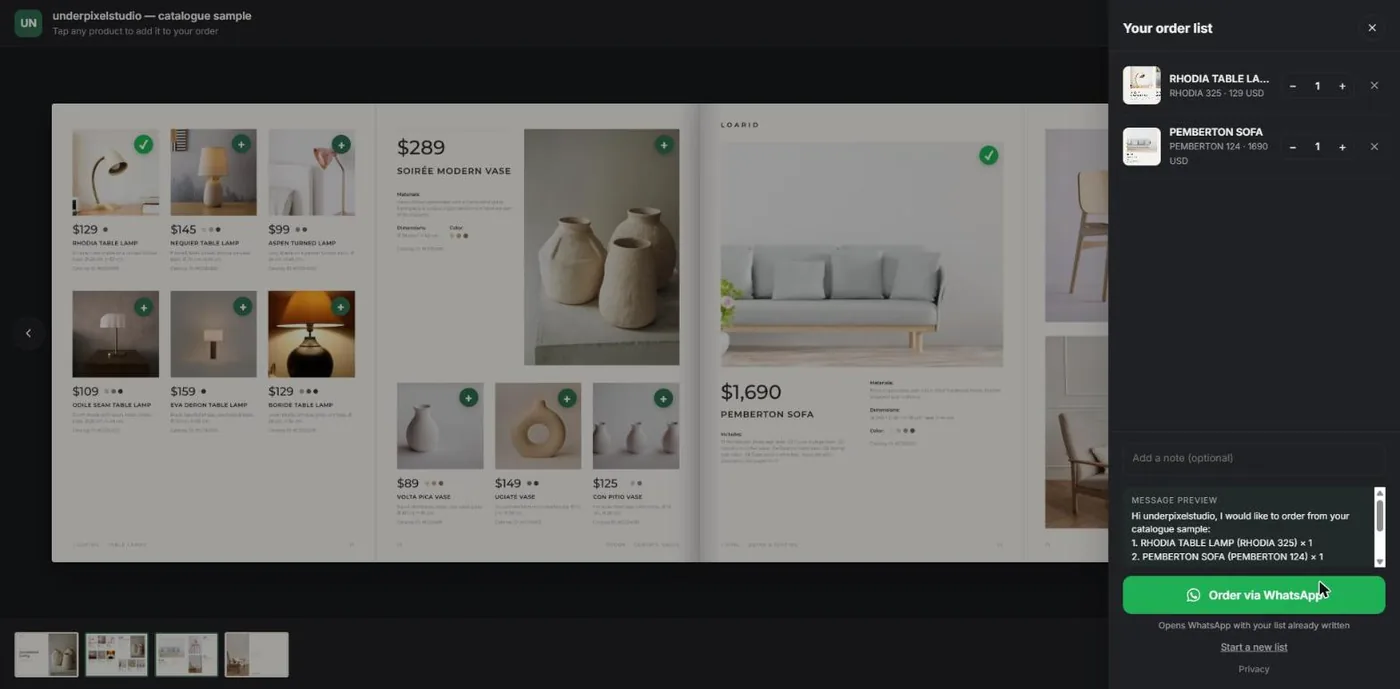
Hi underpixelstudio, I would like to order from your catalogue sample:
1. RHODIA TABLE LAMP (RHODIA 325) × 1
2. PEMBERTON SOFA (PEMBERTON 124) × 1
They press send, and the order lands in your chat with the right names, codes and quantities. You reply, confirm stock and delivery, and close the sale the way you already do.
Try it yourself: open our sample catalogue, or the live demo on the FlipyOrder page.
Free and Pro
| Free | Pro | |
|---|---|---|
| Price | US$0 | US$39/year (early user price), or US$4.99/month |
| Catalogues | 1, up to 20 pages | Unlimited catalogues and pages |
| WhatsApp numbers | 1 | One per catalogue |
| Prices on products | No | Yes |
| Stats | Totals | Per product, with CSV export |
| Storage | 100 MB | 1 GB |
Pro also adds a shelf page that shows all your catalogues on one link, a note box for buyers, and removes the “Made with FlipyOrder” badge. You can cancel anytime. Nothing is deleted: on Free, 1 catalogue stays live (up to 20 pages), and the others pause until you upgrade again.
Who it is for
Any business that already sells from a catalogue: furniture, wholesale and distributors, hardware and industrial supplies, printing and packaging, food and bakery, fashion and tudung. If your buyers already order on WhatsApp, FlipyOrder makes those orders clearer.
Try FlipyOrder with your own catalogue
Free to start, no card needed. Upload your PDF and share your first link in minutes.